
Download Correya – Health & Fitness, Steps Tracker, Calorie Monitor, Water Intake, Goal Setting
Overview
Correya is a free Android application designed to support users in monitoring and improving their health and fitness routines. Developed by Kuis Mohammed, the app aims to simplify daily wellness tracking by offering tools for recording steps, calorie consumption, and water intake. It is tailored for individuals seeking to establish healthier habits through consistent self-monitoring. The app’s primary purpose is to provide an accessible, intuitive platform for setting and tracking personal health goals.
Target users include general consumers interested in fitness, people managing lifestyle changes, and individuals aiming to adopt more active daily routines. Real-world scenarios where Correya may be used include tracking morning walks, monitoring hydration throughout the day, or setting weekly step goals. The app is available in multiple languages, including English, German, and Hindi, making it accessible to a broader audience. While it is published on Softonic, no official website or developer profile details are provided in the available information.
The current version is 1.3, released on October 5th, 2023, and requires Android 13.0 or higher. Correya is categorized under Health & Fitness, aligning with popular wellness tools. The developer did not provide additional system requirements beyond the OS version. As of now, there is no indication of cloud sync, social sharing, or advanced analytics features.
Key Features & Capabilities
- Step Tracking: Correya enables users to monitor daily steps automatically, helping them stay aware of physical activity levels throughout the day.
- Calorie Monitoring: The app allows users to log and track calorie intake and expenditure, supporting weight management and dietary awareness.
- Water Intake Tracker: Users can record water consumption with customizable reminders, promoting consistent hydration.
- Goal Setting: The app supports the creation of personalized health goals, such as daily step targets or weekly water intake goals.
- Progress Visualization: Users can view their progress over time through simple charts or status indicators, helping maintain motivation.
- Multi-Language Support: Available in English, German, and Hindi, making it accessible to users across different regions.
These features are designed to support users in forming sustainable health habits. For example, a user might set a daily goal of 8,000 steps and receive visual feedback when nearing completion. Another might use the water tracker to ensure they drink at least 2 liters per day. The interface is described as clean and intuitive, which contributes to ease of use. However, specific integration with wearables or third-party health platforms was not mentioned.
User Interface, Workflow & Performance
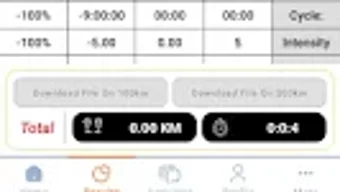
Correya features a user-friendly interface with a clean layout, intended to reduce cognitive load and enhance accessibility. Navigation appears to be straightforward, with key functions such as steps, calories, and water intake likely accessible from a central dashboard. The workflow is designed to allow quick logging and real-time updates, which supports consistent tracking habits.
While performance details were not specified by the developer, the app is expected to operate efficiently on modern Android devices with Android 13.0 or higher. The developer did not provide information about CPU or RAM usage, nor about background activity or battery impact. Stability and responsiveness are assumed to be in line with standard Android applications, but actual behavior may vary based on device hardware and OS version.
Since the app is free and available on Softonic, users should ensure they download it from trusted sources to avoid potential risks. The absence of known security issues in public reports does not guarantee safety, so caution is advised when granting permissions. Performance observations are based on general software behavior patterns, as no benchmark data was provided.
Compatibility & System Requirements
Correya is designed for Android devices running version 13.0 or later. This ensures compatibility with recent smartphones and tablets that support modern app standards. The app’s installation size is not specified in the provided information, so users should expect variable file sizes depending on the device and system configuration.
Exact system requirements were not listed beyond the OS version. This includes no details on minimum RAM, processor speed, or storage space needed. The developer did not provide information about compatibility with older Android versions or tablet-specific optimizations. Users are advised to verify device compatibility before installation, especially if using legacy hardware.
As the app is available on Softonic and other platforms, the installation process is expected to follow standard Android procedures. No mention was made of cloud synchronization, data export, or cross-device support.
Pros and Cons
Pros
- Free to download and use, with no in-app purchases mentioned
- Simple, intuitive interface suitable for beginners
- Supports multiple languages: English, German, and Hindi
- Offers core health tracking features: steps, calories, water intake
- Goal setting and progress tracking for motivation
- Compatible with Android 13.0 and above
Cons
- No information on background performance or battery usage
- Unknown file size and storage requirements
- Limited details on data privacy and security practices
- Does not support integration with wearables or health platforms
- Only available on Android, no version for iOS or desktop
FAQ Section
Is Correya available for iOS?
Correya is currently only available for Android devices. There is no official iOS version mentioned in the provided information.
Can I use Correya offline?
While the app’s offline capabilities were not specified, basic tracking features like step counting and manual logging may function without an internet connection. However, syncing and cloud-based features may require connectivity.
Is Correya safe to download?
Correya is available on Softonic, a known software platform. However, users should verify the source and ensure they are downloading from an official or trusted channel to avoid potential security risks.
How often does Correya update?
The latest version is 1.3, released on October 5th, 2023. No information is available on the update frequency or release schedule.
What kind of license does Correya have?
Correya is offered as a free tool with no mention of a paid version or subscription model. It operates under a freemium or free-to-use license, though no formal license type was provided.
Final Thoughts
Correya presents a straightforward solution for individuals seeking to monitor essential health metrics on their Android devices. With its focus on step tracking, calorie monitoring, and water intake, it caters to users who want a lightweight, no-frills approach to wellness. The app’s clean interface and multi-language support enhance accessibility, making it suitable for a diverse user base.
While advanced features like wearables integration or detailed analytics are absent, Correya excels in simplicity and ease of use. It is particularly beneficial for beginners or those who prefer minimalistic health tools. The lack of detailed system requirements and performance data limits deeper evaluation, but the app’s core functionality remains clear.
For users on Android 13.0 or higher looking for a free, functional health tracker, Correya offers a solid starting point. Download Correya now to begin your journey toward better daily habits.







